Sold out · Ask us about restocking
Not available to order right now.
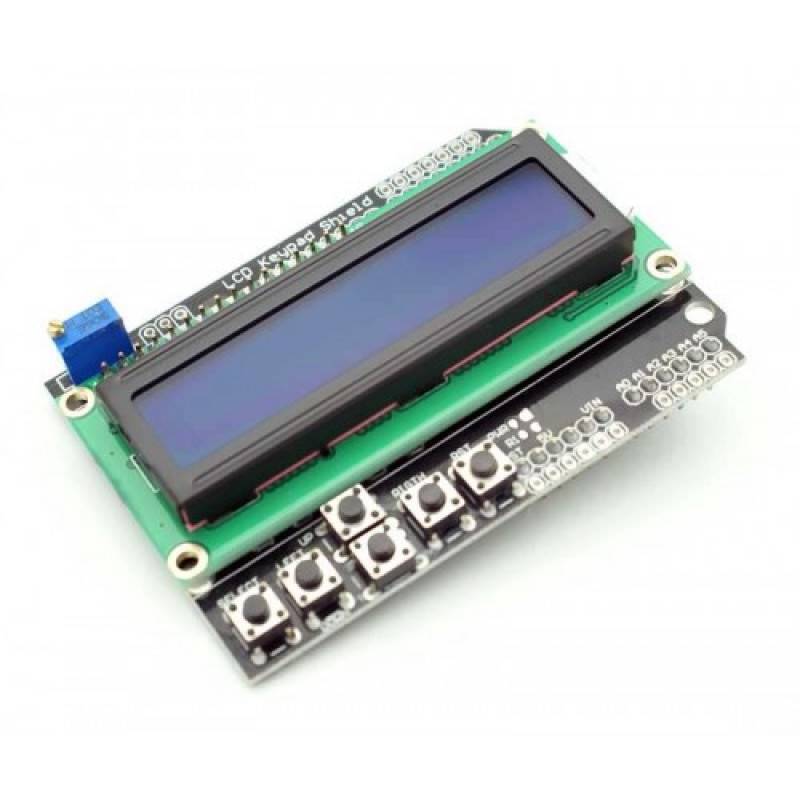
This shield combines a 2 x 16 LCD display with six momentary push buttons for Arduino projects. It uses the 4-bit Arduino LCD library and integrates five navigation buttons (left, right, up, down and select), a contrast adjustment and an Arduino reset button. The blue backlight shows white text.
The design preserves unused pins, so you can still connect extra sensors.
The five buttons share analog pin A0, and the LCD uses digital pins 4 to 7 for data lines DB4 to DB7, pin 8 for RS (register select) and pin 9 for enable. The operating voltage is 5 V. Because the buttons are read as different voltage levels on one analog input, read A0 with analogRead and compare the value with thresholds to work out which button is pressed.
Plug the shield onto an Arduino UNO, load the LiquidCrystal example with the correct pin numbers and adjust the contrast trimmer until the text appears. A simple menu is a good first project: use up and down to change a value and select to confirm it.
Makers who want a text interface with buttons on an Arduino UNO, for example a timer, a thermostat or a settings menu.
Read the analog value on A0 and compare it with the thresholds for each button, since the exact readings vary from board to board. Print the values on the LCD or the serial monitor, note them down and use them as your thresholds. Add a small delay to debounce the buttons so a single press does not register twice.
Five navigation buttons plus a reset button.
Digital pins 4 to 9.
Through analog pin A0.
5 V.
Blue, with white text.
| Brand | Generic |
|---|---|
| Display Type | 16x2 Character LCD |
| Operating Voltage | 5V |
| Selling unit | PCS |