 1 / 2
Sold out · Ask us about restocking
Not available to order right now.
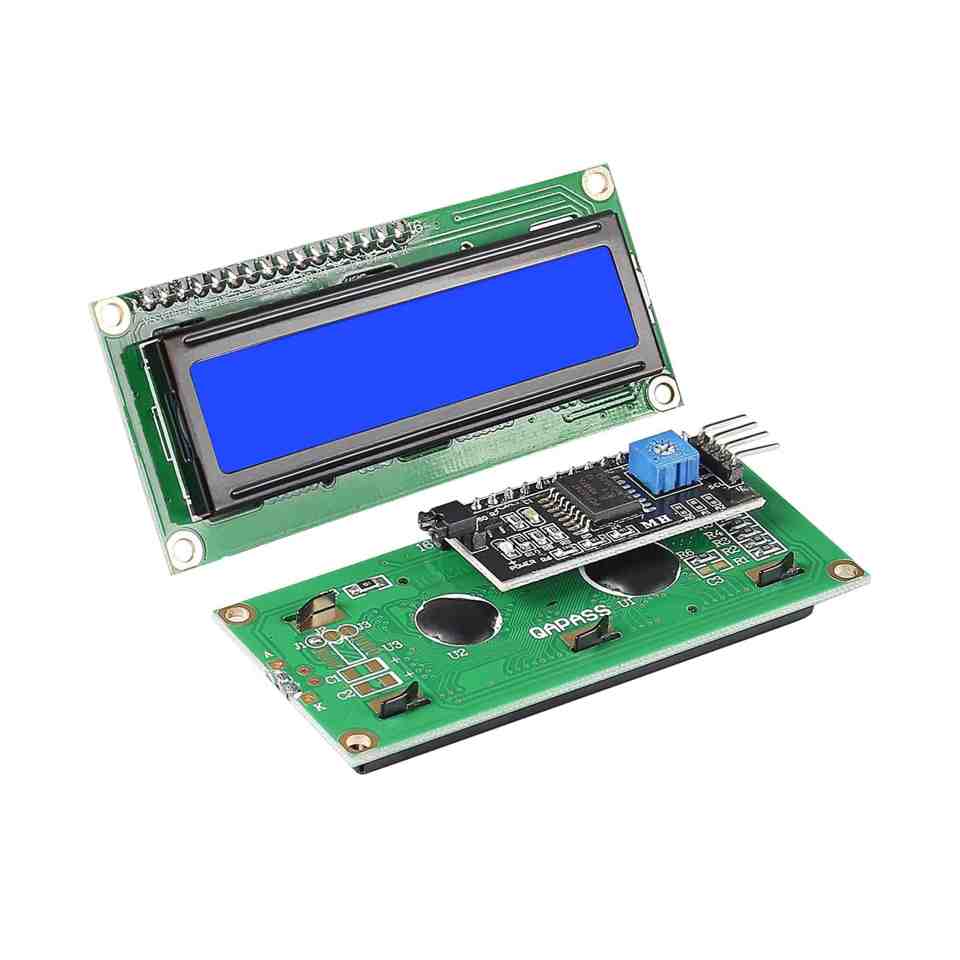
This 16x2 I2C LCD offers a simple and cost-effective way to add a display to a project, showing white characters on a blue background. An I2C adapter is soldered directly to the display, which reduces wiring and connects easily with a set of DuPont wires.
It uses a built-in HD44780-equivalent LCD controller and saves five I/O pins compared with wiring a standard 1602 display directly to a microcontroller. Similar displays are commonly used in copiers, fax machines, laser printers and industrial test equipment.
The supply voltage is 5 V, and the module connects over I2C, typically with just SDA, SCL, VCC and GND. Because the I2C adapter can ship set to different addresses, run an I2C scanner sketch first if your library does not find the display.
Install the LiquidCrystal_I2C library, set the correct address and initialise the display for 16 columns and 2 rows before printing text. There is a small potentiometer on the adapter to adjust contrast if characters look faint or too dark.
Anyone building a simple readout, menu or status display on Arduino or another microcontroller who wants to save wiring and pins.
Keep the four wires (GND, VCC, SDA, SCL) as short as you reasonably can, and twist SDA and SCL together if you must run them more than about 20 cm, since long, untwisted I2C wires are more prone to noise. If two I2C devices in your project clash on the same address, check whether either one has a solder-jumper to change it.
Sixteen characters on two lines.
Blue, with white text.
By I2C, using an adapter with DuPont wires.
5 V.
Five I/O pins compared with a standard parallel connection.
| Brand | Generic |
|---|---|
| Display Interface | I2C/IIC |
| Display Type | 16x2 Character LCD |
| Selling unit | PCS |